
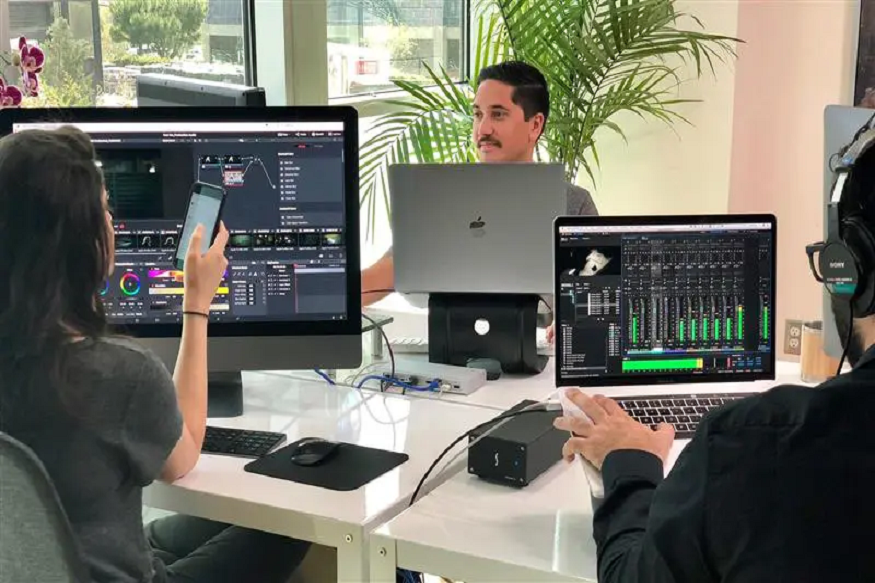
Video production has always been a highly collaborative discipline that depends on constant communication, shared creative vision, and seamless coordination among numerous professionals. Directors, editors, producers, cinematographers, motion graphics artists, sound designers, and clients often contribute to the same project while working from different locations. As remote and hybrid production environments become increasingly common, the challenge of maintaining creative consistency and project continuity has become more significant. To address these challenges, many organizations are adopting persistent video production collaboration workspaces that provide a centralized environment where teams can work together efficiently throughout the entire production lifecycle.
Use of Persistent Video Production Collaboration Workspaces
Persistent video production collaboration workspaces create a continuous environment where projects remain active and accessible throughout their entire duration. Rather than treating each meeting as an isolated event, these platforms establish a permanent digital workspace where all project-related assets, discussions, and decisions are stored together.
Read More: How Volunteer Reporting Software Transforms Community Engagement and Operations
In a persistent workspace, project files remain available between sessions. Team members can return to the workspace at any time and immediately continue where they left off. Media assets, comments, annotations, recordings, and participant permissions remain intact, eliminating the need to repeatedly reconstruct project context. This continuity significantly improves workflow efficiency. Instead of spending the first portion of every meeting reviewing previous discussions and locating relevant files, participants can focus directly on creative work and decision-making. The workspace effectively becomes the project’s central hub, ensuring that everyone remains aligned regardless of location or schedule.
One of the most valuable aspects of persistent video production collaboration workspaces is their ability to preserve project history. Every creative project generates a large volume of discussions, feedback, revisions, and approvals. In traditional workflows, this information is often scattered across multiple systems, making it difficult to track how decisions evolved over time. Persistent collaboration environments consolidate this information into a single location. Comments and annotations remain attached to specific media assets, allowing team members to understand the reasoning behind creative decisions. Feedback provided during one review session remains accessible during future discussions, creating a comprehensive record of project development. This historical visibility is particularly beneficial when onboarding new team members. Instead of relying on lengthy explanations from existing staff, newcomers can review previous discussions, recordings, and annotations to quickly understand project goals, creative direction, and decision-making processes. This reduces onboarding time and minimizes misunderstandings.
Creative professionals require accurate visual representation when evaluating content. Whether reviewing footage, assessing color grading, examining visual effects, or approving final edits, maintaining media quality is essential. Modern persistent video collaboration platforms support full-resolution media presentation, allowing teams to review content without sacrificing quality. High-definition and ultra-high-definition formats, including 4K video at high frame rates, can be displayed with exceptional clarity. This ensures that participants see content as it was intended to be viewed, enabling more informed creative decisions. In addition to supporting high-quality playback, these platforms often allow multiple media assets to be displayed simultaneously. This capability provides significant advantages during review sessions.
Read More: GHL Scheduled AI Tasks: The Expert’s Automation Shortcut
Editors can compare multiple versions of a sequence side by side. Colorists can evaluate different grading approaches simultaneously. Producers can review reference materials alongside current edits. Directors can compare alternate camera angles without switching between files. This side-by-side viewing capability accelerates decision-making and helps teams identify the strongest creative solutions more efficiently.